Welcome to ggplot2

EE BIOL C177/C234

Chuliang Song

Today’s Menu 🎯

  1. Why focus on graphs?
  2. The grammar of graphics concept
  3. Build scatter plots with ggplot2
  4. Customize with aesthetics & themes

Why Graphs?

Visuals Are Powerful

  • Humans are visual beings
  • Most readers will skim your paper
  • A well-designed graph makes your key findings clear
  • ggplot2 provides a structured approach to visualization
  • Massive ecosystem of extension libraries

Your First ggplot2 Graph

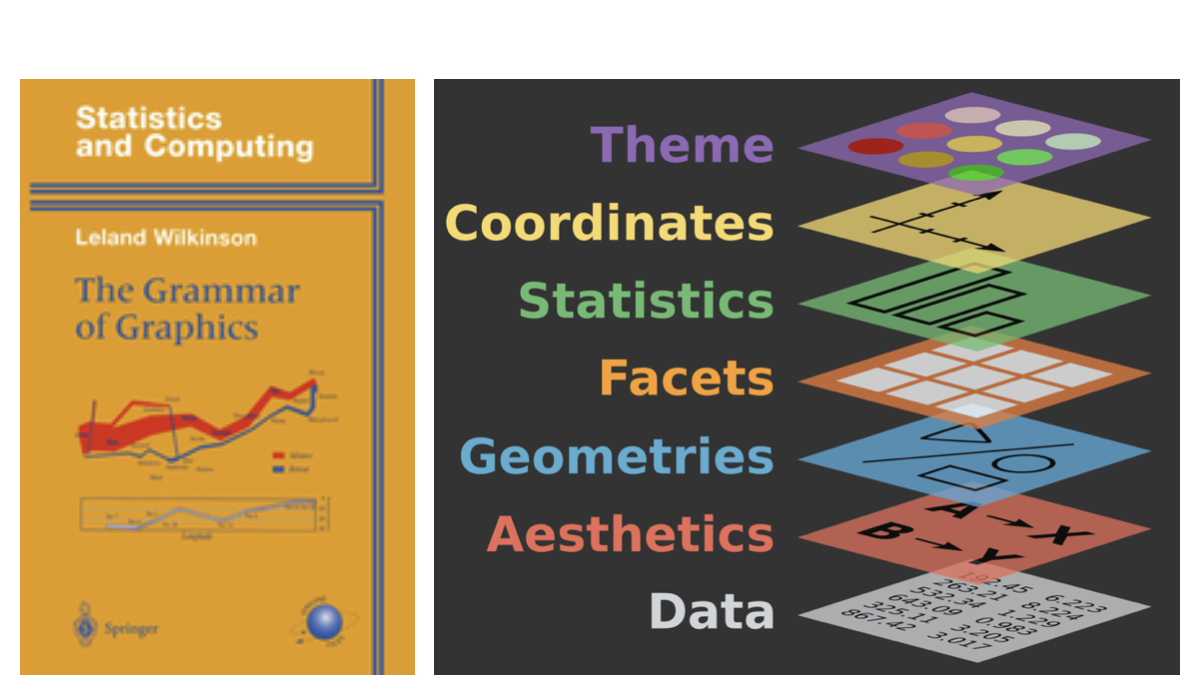
History of Grammar of Graphics

  • Conceived by statistician Leland Wilkinson
  • Breaks graphics down into fundamental components
  • Laid the mathematical foundation for ggplot2
  • Widely adopted across data science

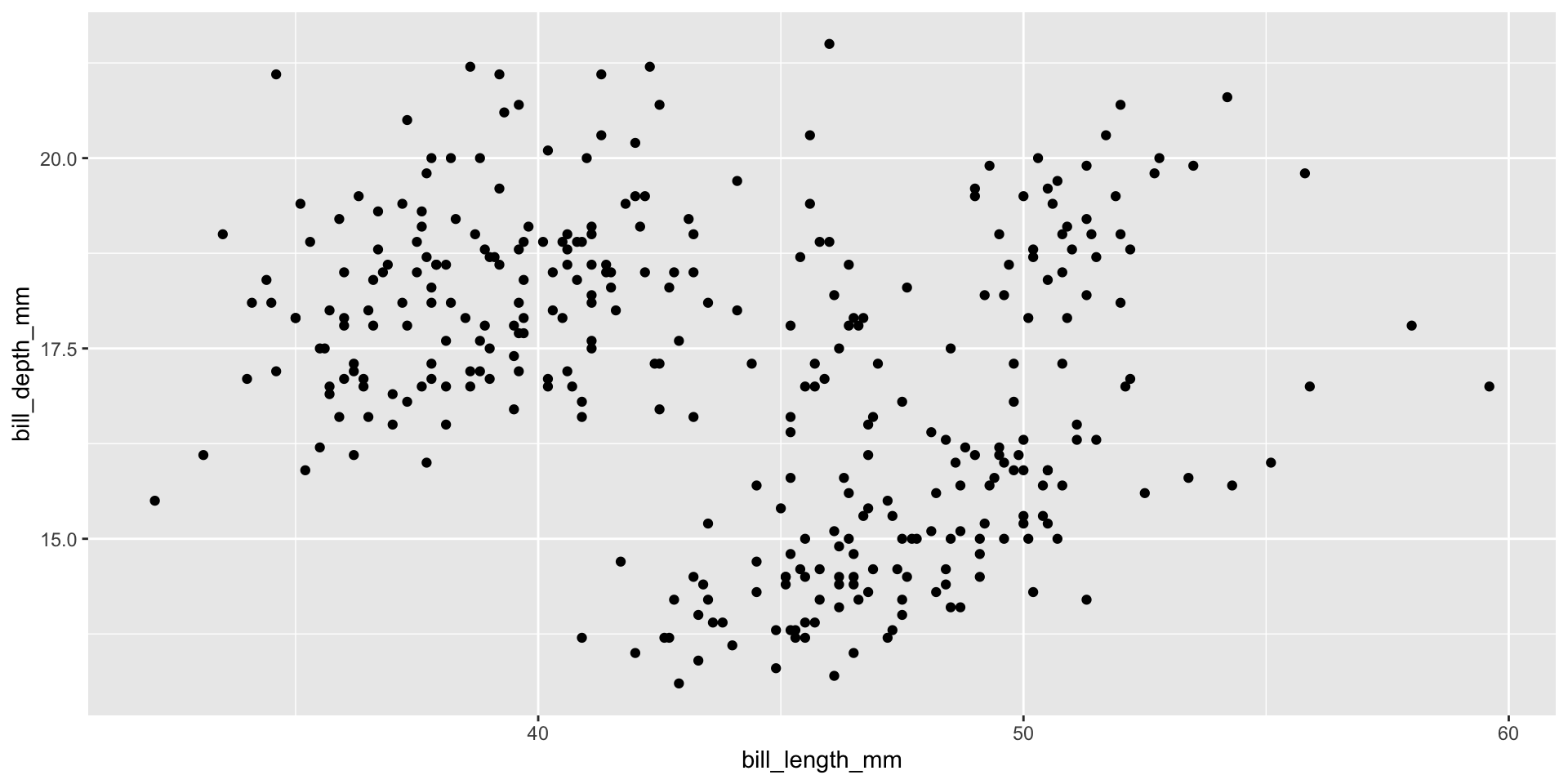
Our First Scatter Plot

library(ggplot2)
library(palmerpenguins)
ggplot(
  data = penguins,
  aes(x = bill_length_mm, y = bill_depth_mm)
) +
  geom_point()
Dissecting the Code

library(ggplot2)
library(palmerpenguins)
ggplot(
  data = penguins,
  aes(x = bill_length_mm,
      y = bill_depth_mm)
) +
  geom_point()
  • ggplot() β€” start a new plot
  • data = penguins β€” specify the dataset
  • aes() β€” map variables to axes
  • + β€” add layers (like Photoshop!)
  • geom_point() β€” draw points

The Grammar of Graphics

Every plot has the same grammar:

ggplot(
  data = <DATA>,
  aes(x = <X>, y = <Y>)
) +
  <GEOM_FUNCTION>()

Data β†’ Aesthetics β†’ Geometry = a plot!

Tuning Our Plot

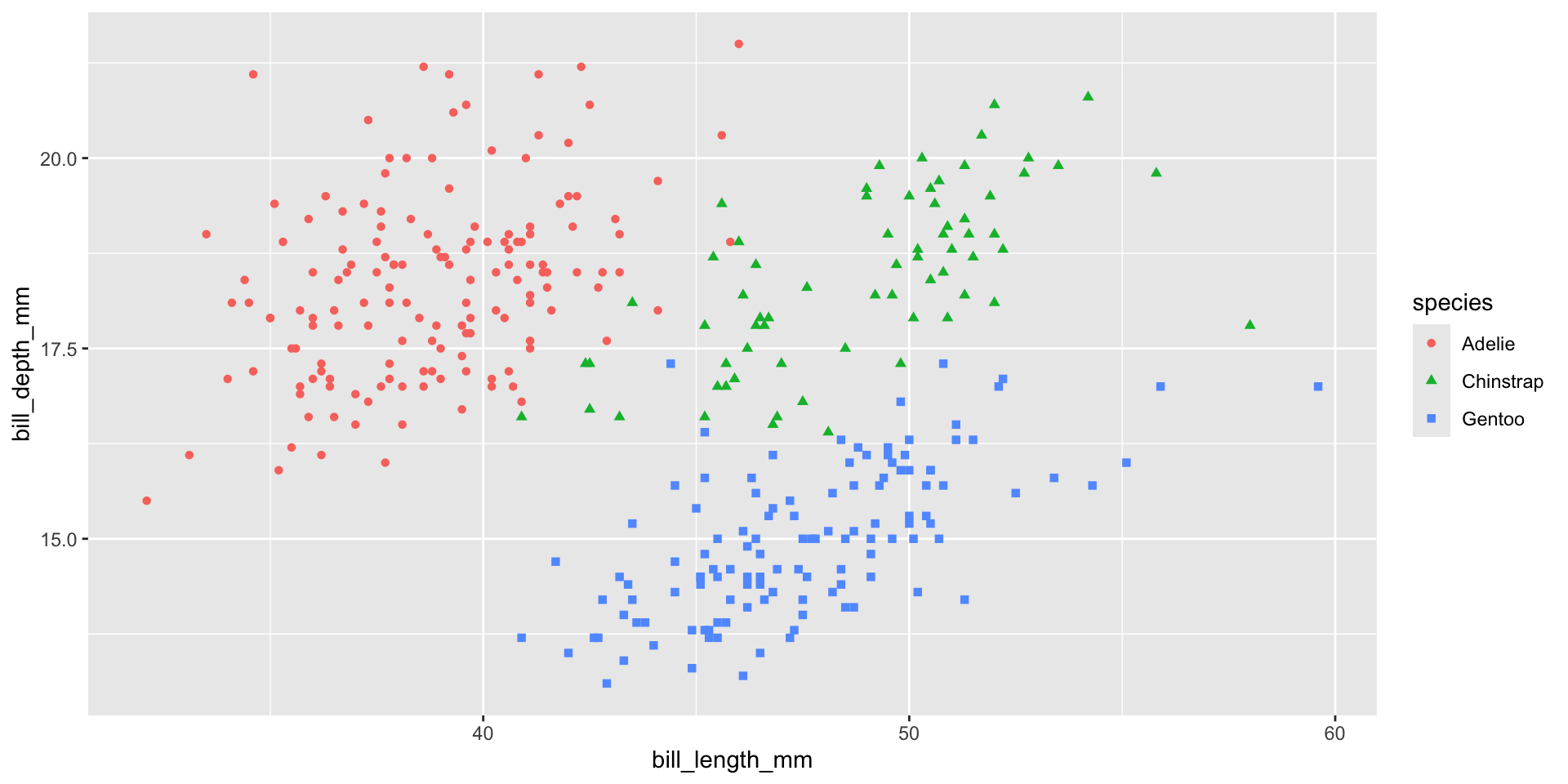
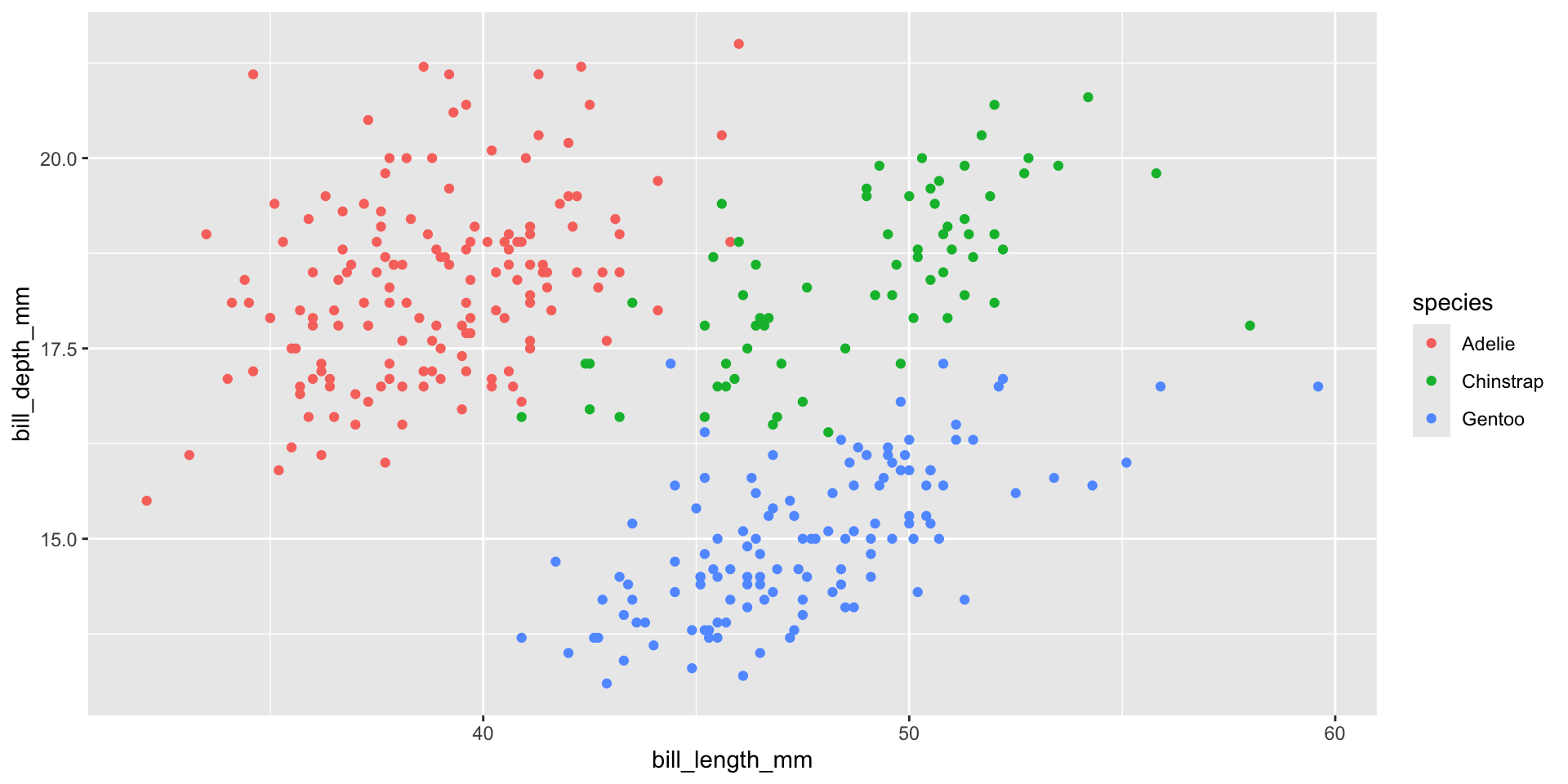
Adding Color by Species

ggplot(
  data = penguins,
  aes(
    x = bill_length_mm,
    y = bill_depth_mm
  )) +
  geom_point(aes(color = species))

Adding Shape Too

ggplot(
  data = penguins,
  aes(
    x = bill_length_mm,
    y = bill_depth_mm
  )) +
  geom_point(aes(color = species, shape = species))

Themes

Don’t Use the Default Theme!

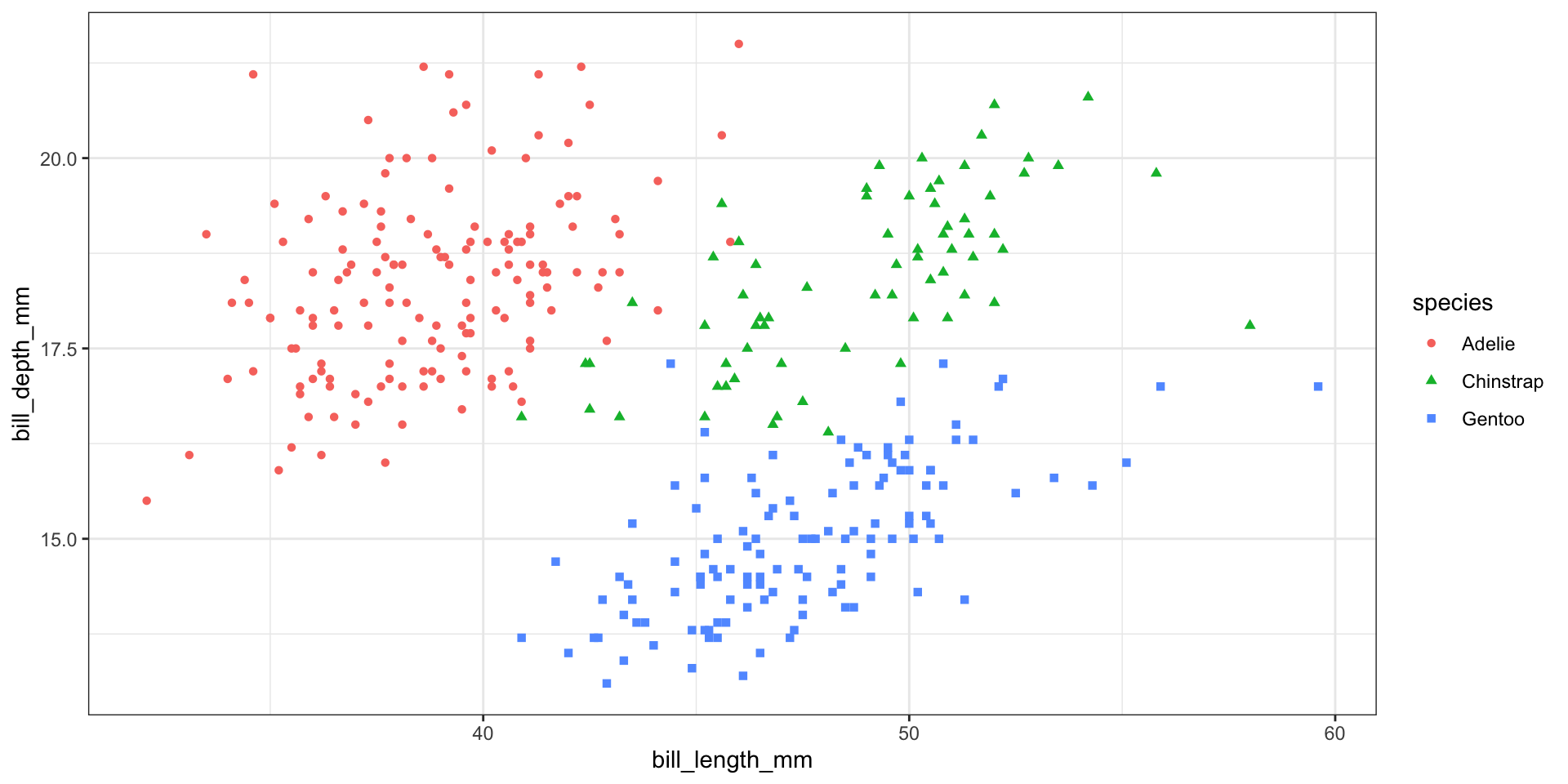
The grey background wastes ink and looks bland. Use theme_bw():

ggplot(
  data = penguins,
  aes(x = bill_length_mm, y = bill_depth_mm)
) +
  geom_point(aes(color = species, shape = species)) +
  theme_bw()

Explore Other Themes

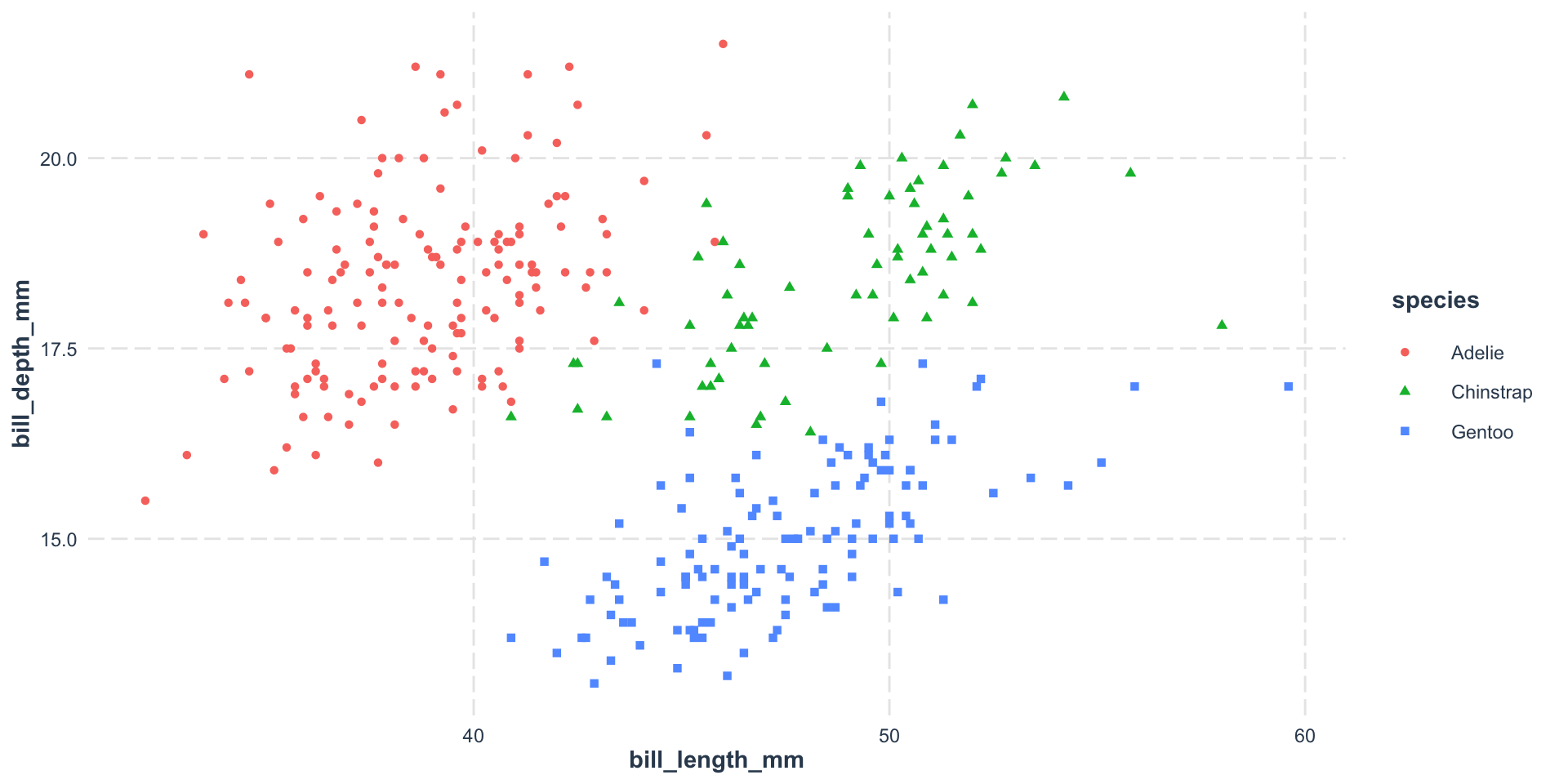
Try theme_minimal(), theme_classic(), or packages like jtools:
ggplot(
  data = penguins,
  aes(x = bill_length_mm, y = bill_depth_mm)
) +
  geom_point(aes(color = species, shape = species)) +
  jtools::theme_nice()

Exercise

Plot body_mass_g vs bill_depth_mm, colored by species:

Summary

  • ggplot2 uses the grammar of graphics
  • Data β†’ Aesthetics β†’ Geometry
  • Map variables to color, shape, size, etc.
  • Always change the default theme!