Basic Data Structures

EE BIOL C177/C234

Chuliang Song

Today’s Menu 🎯

  1. Understand vectors β€” the building block
  2. Understand tibbles β€” tidy tables
  3. Meet the penguins dataset 🐧

Vectors

What is a Vector?

A one-dimensional array β€” like a row of seats that only allows one type

c() means β€œcombine” β€” you’ll type it a lot!

Common Data Types

⚠️ Everything in a vector must be the same type

Always verify with class():

Always Check Data Types

Horror story: Excel auto-converts gene name SEPT4 β†’ 4-Sept 😱

Read the news on Science

Extracting Elements

Use square brackets [] β€” indexing starts at 1 (not 0!):

Exercise

Create a vector of numbers from -1 to -3, then extract the second element:

Tibbles

What is a Tibble?

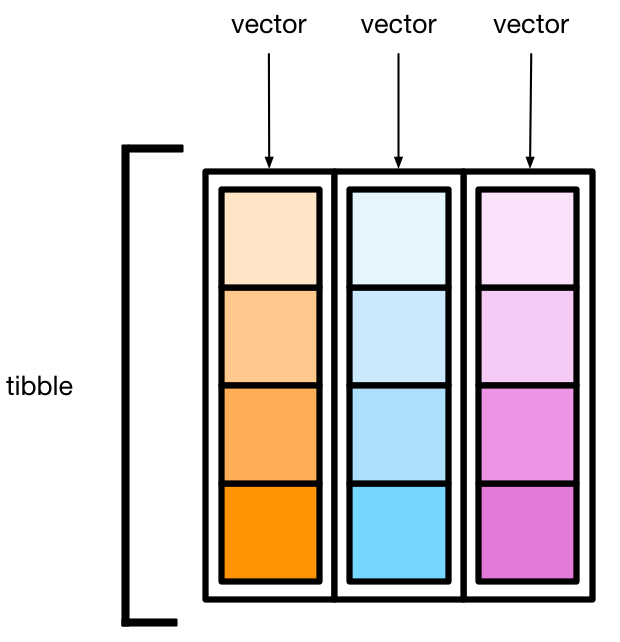
Vectors bound together in columns β€” a tidy table

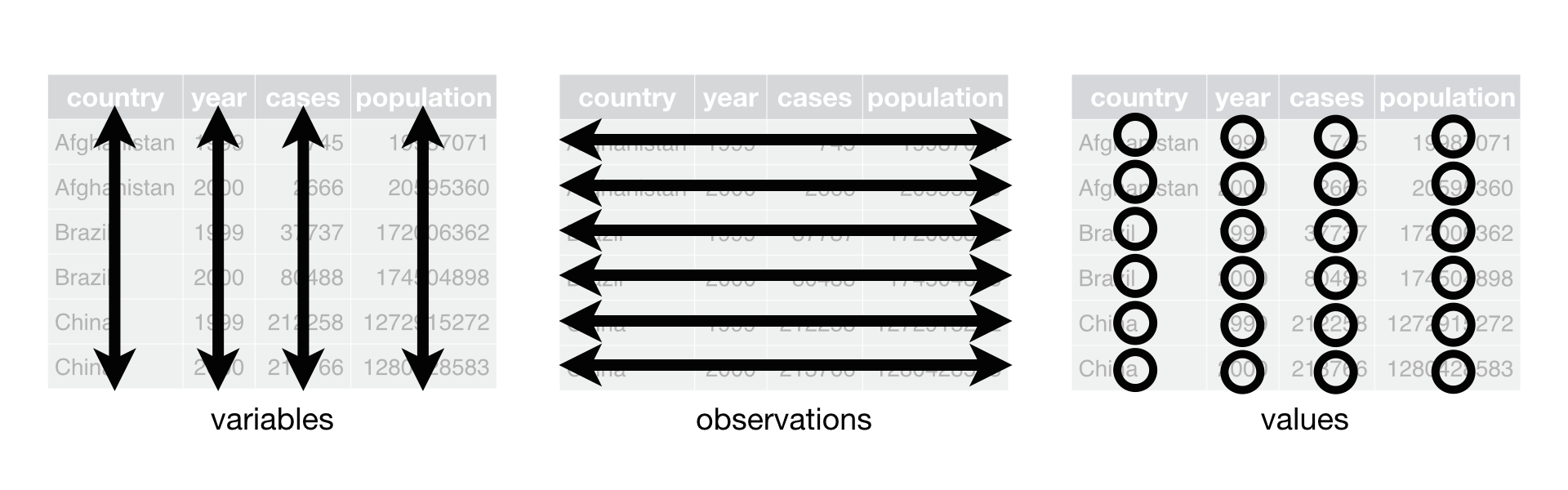
Tidy Data Principles

Each variable is a column, each observation is a row, each type of observational unit is a table. β€” Hadley Wickham

From https://r4ds.hadley.nz/data-tidy.html
  • Tibble tracks data types explicitly (dbl, chr, lgl)
  • Enforces tidy structure automatically
  • Much better than base R data.frame

Exercise

Create a tibble with name, age, and is_student columns:

The Penguins Dataset 🐧

Meet the Penguins

Three species from Palmer Station, Antarctica:

Artwork by allison_horst

Always Look at Your Data!

First rule of data analysis: always inspect your data

Summary

  • Vectors: one-dimensional, single type β†’ c()
  • Tibbles: tidy tables, multiple columns β†’ tibble()
  • Always check types with class()
  • Always inspect data before analyzing it